Website Examples
WordPress Website Examples
Real WordPress website examples grouped by site type — news, entertainment, small business, blog, portfolio, online store, and nonprofit — plus the default WordPress site you get at install, how to recognise a WordPress site, and a copyable content plan.
A WordPress website is a site built and managed with WordPress — one of the most widely used open-source content management systems on the web. If you searched for a "wordpress website example", you most likely want two things: to see what a real WordPress site actually looks like, and to borrow the pattern for your own site. This page delivers both: the default WordPress site you get at install, real sites widely documented as running on WordPress, the common site-type patterns, how to recognise a WordPress site, and a copyable content plan. It is part of the website examples library.
What is a WordPress website?
WordPress is one of the most widely used content management systems in the world: a free, open-source program that stores your pages and posts in a database and renders them as the HTML your visitors see. A WordPress website is any site that runs on it, and because WordPress is so flexible, the sites that run it range from a personal blog to a national newspaper. What ties them together is the machinery underneath: pages and posts, a theme that controls the look, and plugins that add features.
WordPress.org vs WordPress.com
There are two ways to get a WordPress website, and the names are easy to mix up:
| WordPress.org (self-hosted) | WordPress.com (hosted) | |
|---|---|---|
| What you get | The open-source WordPress software you install on your own hosting | A managed WordPress service with hosting included |
| Who runs the servers | You (through a hosting company) | WordPress.com |
| Themes and plugins | Install any theme or plugin | Free and paid plans, with limits on the free tier |
| Best for | Full control and customisation | Getting a site online without managing hosting |
The examples on this page mostly describe the self-hosted software, but the visible patterns — pages, posts, menus, a homepage — are the same either way. A visitor cannot usually tell the difference.
WordPress vs a hand-built website
| WordPress website | Hand-built HTML website | |
|---|---|---|
| How you update it | Edit in the WordPress admin, no coding needed | Edit the HTML files directly |
| Pages and posts | Stored in a database, rendered by the theme | Plain files in the project folder |
| Extending it | Add themes and plugins | Write new code |
| Good for | Regular updates, blogs, stores, and many content types | Simple, fast, fully controlled pages |
| Example to compare | This page | HTML website example and static website example |
The default WordPress website example
When you install WordPress, the very first site you get is a blog: a classic theme, a short tagline, and a sample post titled "Hello world!". It is the most common WordPress website example in existence because every fresh install starts there. Its anatomy:
- Site title and tagline — a header with the site name and the default tagline "Just another WordPress site"
- Blog feed — posts listed newest first, each with a title, date, author, and excerpt
- Sidebar — widgets such as "Recent Posts" and "Categories"
- Footer — often a "Proudly powered by WordPress" credit line
That skeleton is the DNA of almost every WordPress site. A business or store site swaps the feed for a marketing homepage, but it still runs on the same pages-and-posts machinery. The wireframe versions of the feed and homepage layouts are on the website wireframe example page.
If you are brand new to WordPress, that sample post is your first decision: replace "Hello world!" with a real welcome post, or delete it. The welcome message examples page has ready-to-copy opening messages for different site types.
Real WordPress website examples
The examples below are well-known sites that are publicly documented as running on WordPress. Each card includes a screenshot of the current homepage and is limited to what is publicly observable on it: structure, navigation, calls to action, and trust signals. Nothing here states traffic, revenue, or business results. The patterns worth studying are the homepage structure and the way each site turns a feed of posts into a front page.
News and magazines
TechCrunch — technology news
Homepage: techcrunch.com
| Field | Observation |
|---|---|
| Type | News website |
| Industry | Technology media |
| Homepage structure | Category navigation → featured story hero → article feed → newsletter blocks → footer |
| Navigation pattern | Horizontal categories such as Startups, Venture, AI, and Security |
| Primary CTA | Newsletter sign-up |
| Trust signals | Established masthead, bylined articles, live post timestamps |
| Notable UX pattern | A single featured story above a dense feed of headlines |
| Why it works | The reader's task is skimming headlines, so the page puts most of its space into headlines |
| What you can learn from it | If your site is news-driven, optimise the feed, not the hero |
The New York Times — a national newspaper
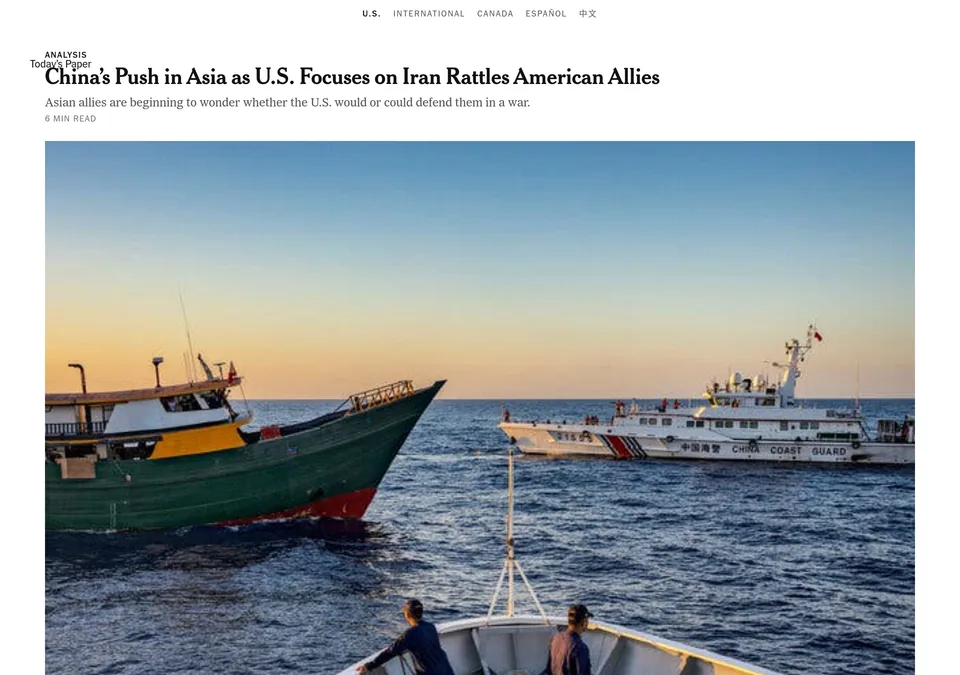
Homepage: nytimes.com
| Field | Observation |
|---|---|
| Type | Newspaper website |
| Industry | News media |
| Homepage structure | Masthead with the date → section navigation → top-stories grid → subscribe CTA → footer |
| Navigation pattern | Sections such as World, U.S., Politics, Business, and Technology |
| Primary CTA | Subscribe |
| Trust signals | Bylines, section editors, an established masthead |
| Notable UX pattern | A dense, structured grid of stories that fits many headlines above the fold |
| Why it works | It serves many readers with many different interests at once |
| What you can learn from it | Group content into clear sections and give each one a stable place in the navigation |
Entertainment and media
Rolling Stone — music and culture
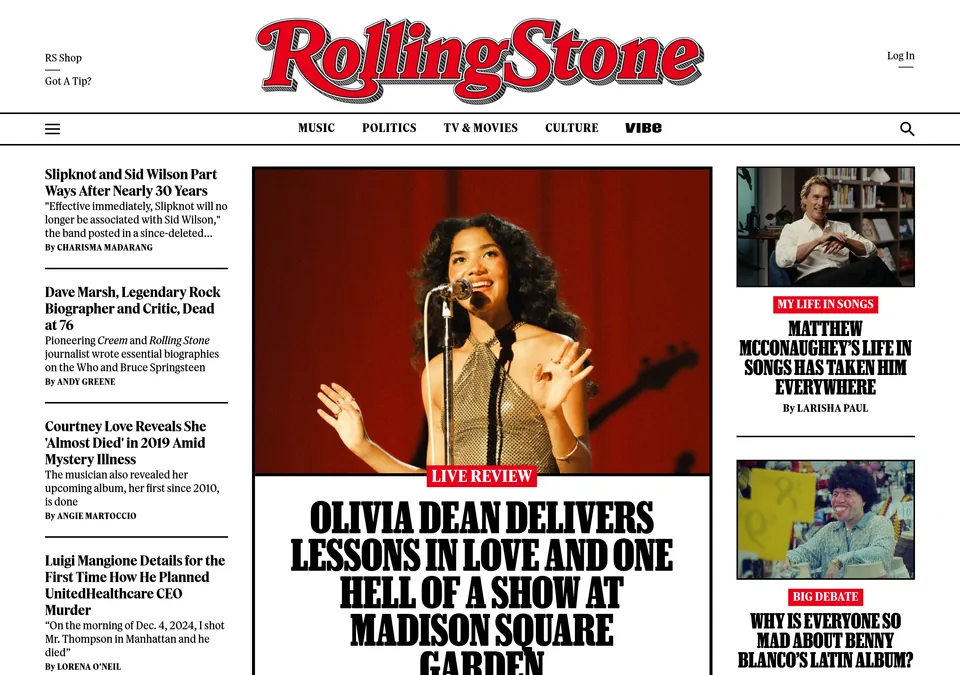
Homepage: rollingstone.com
| Field | Observation |
|---|---|
| Type | Magazine and news website |
| Industry | Music and culture media |
| Homepage structure | Logo header → section navigation → featured story → trending list → article feed |
| Navigation pattern | Sections such as Music, TV & Movies, Politics, and Culture |
| Primary CTA | Newsletter sign-up |
| Trust signals | Bylines and an established brand |
| Notable UX pattern | A featured story next to a "trending" rail that recycles popular articles |
| Why it works | Long-form stories get room while a high-traffic feed stays visible |
| What you can learn from it | Pair a featured story with a list that keeps popular content findable |
Variety — entertainment industry news
Homepage: variety.com
| Field | Observation |
|---|---|
| Type | Entertainment news website |
| Industry | Entertainment media |
| Homepage structure | Header → featured story → breaking-news strip → article feed |
| Navigation pattern | Sections such as Film, TV, Music, Awards, and Business |
| Primary CTA | Newsletter sign-up |
| Trust signals | Bylines and awards coverage |
| Notable UX pattern | A breaking-news strip keeps the most recent item always visible |
| Why it works | Time-sensitive readers find the newest item immediately |
| What you can learn from it | For time-sensitive content, surface the newest item at the top |
BBC America — a television network
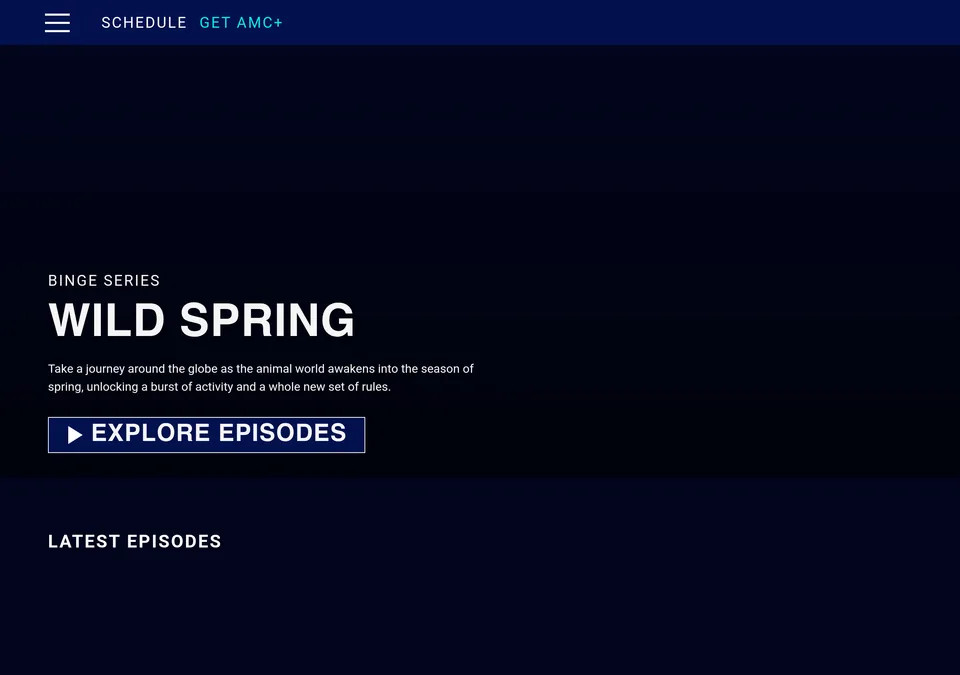
Homepage: bbcamerica.com
| Field | Observation |
|---|---|
| Type | Television network website |
| Industry | Entertainment |
| Homepage structure | Show promos → video hero → shows grid → schedule → footer |
| Navigation pattern | Shows, schedule, and series pages |
| Primary CTA | Watch or stream the show |
| Trust signals | Show branding and broadcast times |
| Notable UX pattern | The homepage is organised around programmes, not articles |
| Why it works | When the product is a show, the show is the unit the page is built around |
| What you can learn from it | Structure the homepage around the thing you actually offer |
WordPress website patterns by site type
The cards below are not real companies. They are illustrative patterns built from the common structure of each site type, so the observations are about the pattern, not a specific business. This is the section to borrow from when you are planning your own WordPress site.
Small business — illustrative pattern
| Field | Pattern |
|---|---|
| Type | Business website |
| Homepage structure | Header → hero → services → about → testimonials → contact CTA → footer |
| Primary goal | Generate calls and enquiries |
| Key pages | Home, Services, About, Blog, Contact |
| Homepage sections | Hero with a phone CTA, a services grid, customer quotes, and a contact form |
| Notable WordPress pattern | A static homepage set in the theme customiser, with the blog feed kept for updates |
| What you can learn from it | Use the homepage for the pitch and the blog for regular updates |
Personal blog — illustrative pattern
| Field | Pattern |
|---|---|
| Type | Blog |
| Homepage structure | Header → featured post → post feed → sidebar → footer |
| Primary goal | Build a readership |
| Key pages | Home, About, Blog, Newsletter |
| Homepage sections | The post feed, with category navigation |
| Notable WordPress pattern | The default blog behaviour: newest posts first |
| What you can learn from it | A fresh WordPress install is already a personal blog; add an about page and a newsletter |
Portfolio and creative — illustrative pattern
| Field | Pattern |
|---|---|
| Type | Portfolio website |
| Homepage structure | Hero → project grid → about → contact → footer |
| Primary goal | Show work and win enquiries |
| Key pages | Work, About, Services, Contact |
| Homepage sections | A project gallery plus a short "start a project" call to action |
| Notable WordPress pattern | A gallery of case studies rendered as posts or a custom page |
| What you can learn from it | Show less text and more work; keep contact one click away |
Online store (WooCommerce) — illustrative pattern
| Field | Pattern |
|---|---|
| Type | Ecommerce website |
| Homepage structure | Header → hero → category grid → featured products → footer |
| Primary goal | Sell products |
| Key pages | Shop, Product pages, Cart, Checkout, Account |
| Homepage sections | A category grid and a few featured products, with a visible cart |
| Notable WordPress pattern | The WooCommerce plugin turns WordPress into a store with product pages and a cart |
| What you can learn from it | The catalog and the checkout are the priority; everything else supports them |
Nonprofit — illustrative pattern
| Field | Pattern |
|---|---|
| Type | Nonprofit website |
| Homepage structure | Header → mission hero → programs → impact → donate CTA → footer |
| Primary goal | Raise funds and recruit volunteers |
| Key pages | About, Programs, Get Involved, Donate |
| Homepage sections | A clear donate button backed by stories of impact |
| Notable WordPress pattern | Donation and event plugins added on top of the usual pages |
| What you can learn from it | Give one dominant action and back it with proof |
Membership and email site — illustrative pattern
| Field | Pattern |
|---|---|
| Type | Membership / email-first website |
| Homepage structure | Header → lead magnet → benefits → testimonials → sign-up CTA → footer |
| Primary goal | Collect email subscribers or members |
| Key pages | Home, About, Content library, Sign up |
| Homepage sections | A long landing page aimed at one conversion |
| Notable WordPress pattern | A page built around a single form rather than a feed |
| What you can learn from it | One audience, one action, repeated call to action |
How to spot a WordPress website
You can often recognise a WordPress site without asking. These are publicly observable markers — signs, not proof, because themes and plugins can hide them:
- The page source references
wp-content(open view-source on the homepage and search for it) - Visiting
/wp-admin/redirects to a WordPress login screen -
/wp-login.phploads the WordPress login page - The footer says "Proudly powered by WordPress"
- Blog-style URLs such as
/?p=123or date-based permalinks - Classic blog anatomy: a feed of posts with dates and categories
Good vs weak WordPress website patterns
The examples below are illustrative patterns, not real companies. They show the difference between a site that looks finished and one that looks abandoned.
| Instead of this (weak) | Try this (stronger) | Why |
|---|---|---|
| Leaving the "Hello world!" sample post live | Deleting it or replacing it with a real post | The sample post tells visitors the site is unfinished |
| Keeping the tagline "Just another WordPress site" | Writing a one-line description of the site | The tagline is the first thing that tells a stranger what the site is about |
| Post URLs like /?p=123 | Clean, readable permalinks | Readable URLs help visitors and are easier to share |
| A blog-only homepage for a business | A static homepage plus a blog | A business visitor wants the pitch first and updates second |
| A feed with one test post | A few genuinely useful posts before launch | A feed with a single post looks abandoned |
| A stock theme with default colours | A theme matched to the brand | A customised theme makes the site feel finished |
Copyable WordPress website content plan
Use the patterns above as a skeleton and fill in this template with your own site. This is the blank version you can copy and edit.
# WordPress website content plan

## Site goal (pick one primary)
- [ ] Publish a blog or newsletter
- [ ] Generate leads for a business
- [ ] Sell products online
- [ ] Showcase a portfolio of work
- [ ] Raise funds or recruit volunteers
- [ ] Other: _____

## Setup notes
- Domain: [Your domain]
- Hosting: [Hosting provider]
- WordPress: [Self-hosted (WordPress.org) or hosted (WordPress.com)]
- Theme: [Theme name and any customisation]

## Pages (sitemap)
- Homepage
- About
- [Services / Work / Programs as applicable]
- Blog
- Contact
- Other: _____

## Homepage sections (in order)
1. Header: site title, tagline, menu
2. Hero: headline, subheadline, one call to action
3. Value or services block
4. Proof: testimonials, logos, examples
5. About or story
6. Final call to action
7. Footer: contact details, links, credit

## First posts (write 3-5 before launch)
1. [Post topic]
2. [Post topic]
3. [Post topic]

## Menu structure
- Primary menu: [Home, About, Services, Blog, Contact]
- Footer menu: [Privacy, Terms]

## Contact pattern
- Contact page with a form
- Email: [Email address]
- Phone: [Phone number]
- Hours: [Business hours]

## Launch checklist
- [ ] Delete or replace the "Hello world!" sample post
- [ ] Replace the default tagline
- [ ] Set clean permalinks
- [ ] Customise the theme colours and logo
- [ ] Every page has a title and meta description
- [ ] Tested on a phone
- [ ] Contact details are correct
- [ ] Live on a secure https:// address
FAQ
Frequently asked questions
What does a WordPress website look like?
What is the default WordPress website?
Are all WordPress websites blogs?
How can I tell if a website is built with WordPress?
What is the difference between WordPress.com and WordPress.org?
Can an online store run on WordPress?
Is the WordPress example on this page a real website?
Where to go next
A WordPress website is a website powered by WordPress, so the visible patterns are the same ones covered across this library. The website structure examples page covers choosing the pages, and the website wireframe example shows the layouts behind them. The website name examples, website title examples, and website URL examples pages cover the words and addresses, and the welcome message examples page has copy for your opening message. To see what a hand-built alternative looks like, compare the HTML website example and static website example.
Many WordPress sites are online stores or portfolios, so the ecommerce, portfolio, personal, and business example pages apply directly. And if you build WordPress sites for a living, the website proposal example, website audit report example, and website maintenance plan example pages show the documents that surround a project.